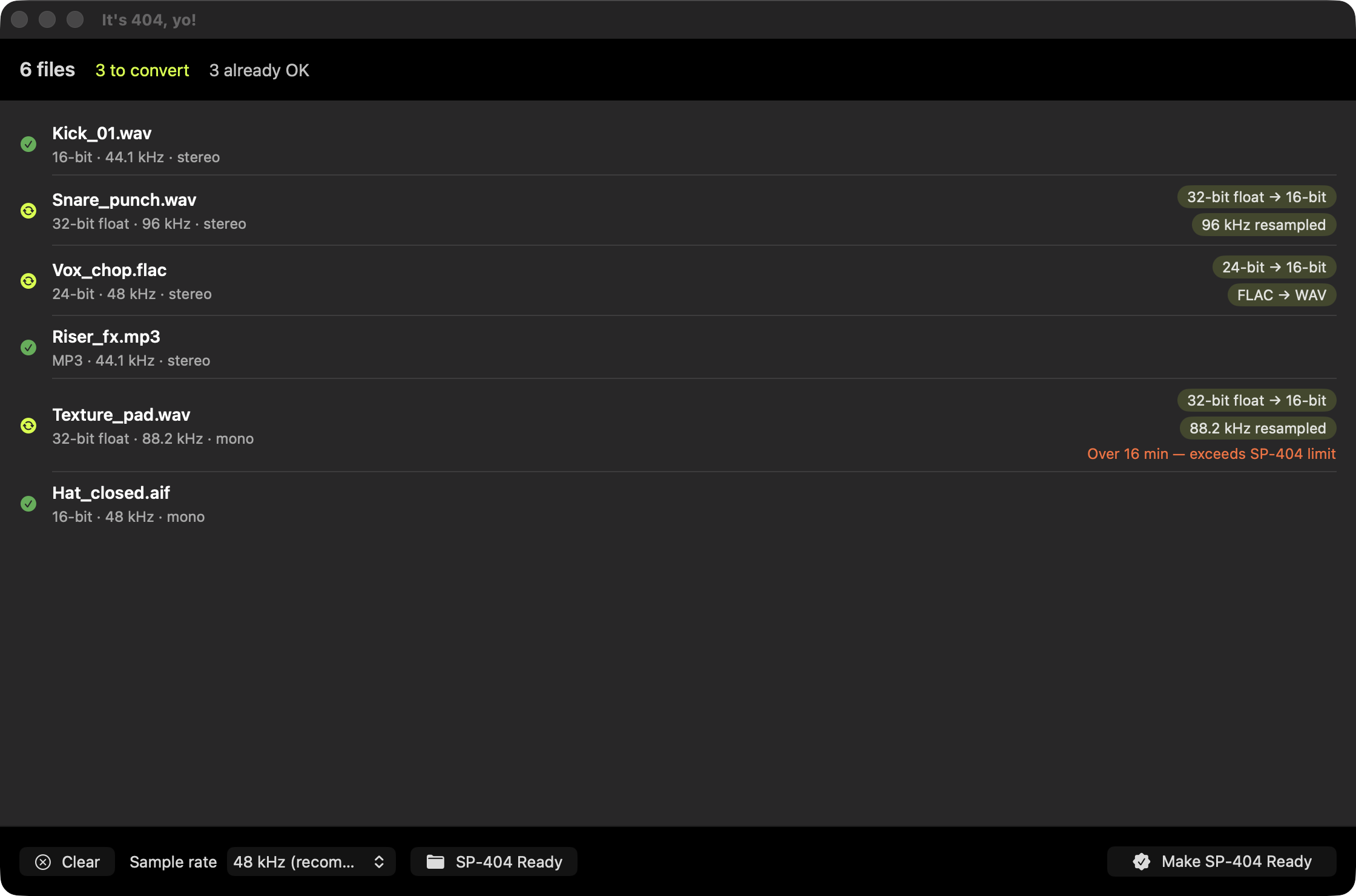
Why does my SP-404 MkII say “Unsupported File”?
Most often the file is 32-bit float (common in pro/Splice packs), an unusual sample rate, or a format like FLAC.
The SD-card import only accepts 16-bit linear WAV/AIFF/MP3, so anything else is rejected without explanation.
Full explanation →
Will it change files that are already fine?
No. Files that already import cleanly are copied untouched, no quality loss, no needless re-encoding.
48 kHz or 44.1 kHz?
48 kHz matches the SP-404 MkII’s internal rate (zero on-device resampling). 44.1 kHz is also accepted.
You choose; the app handles the rest.
Which file types can I drop in?
WAV, AIFF, MP3, M4A, AAC and FLAC, folders or individual files, your whole pack at once.
Anything that isn’t already SP-404-safe is converted to 16-bit linear PCM WAV; files that
already import cleanly are copied untouched.
Will converting to 16-bit hurt my audio quality?
No. The SP-404 MkII runs internally at 16-bit / 48 kHz and conforms every import to
that anyway, so a 32-bit float or 24-bit file gets reduced to 16-bit on the device regardless.
Converting first just makes it import cleanly; 16-bit still carries about 96 dB of dynamic
range, well beyond what a groovebox needs.
What’s the difference between SD-card import and the Roland SP-404MK2 app?
They follow different rules. Direct SD-card import accepts only 16-bit linear
WAV/AIFF/MP3, anything else risks “Unsupported File.” The official
SP-404MK2 app accepts more (it adds FLAC and M4A) and down-converts on its
own. This app targets the stricter SD-card path, so your samples import cleanly either way.
How is this different from Roland’s SP-404MKII app?
Roland’s app is built around loading samples onto pads inside a project, and it
needs Roland Cloud Manager running. This works one level down, on the raw files:
point it at a whole pack (or a folder of packs) and it batch-converts everything to the
SD-import format, folder structure preserved, so the output drops straight onto the card or
stays as a clean library. It also reports, per file, what’s wrong and why before it touches
anything. If you’re happy importing through Roland’s app, you may not need this.
Why not just use ffmpeg, fre:ac or Audacity?
Those all work, and they’re worth having for general conversion. The difference is that you
have to know and set the exact target yourself: 16-bit linear PCM WAV at 44.1 or 48 kHz.
This already knows the SP-404 target, flags per file what would fail and why, and needs no
configuration. If you’re comfortable on the command line, ffmpeg is an honest
answer.
Does it send my samples anywhere?
Never. Everything runs offline on your Mac. There’s no account, no cloud, no tracking.
Which devices does it target?
Today it’s tuned for the Roland SP-404 MkII. More device profiles may follow.